
SyncSign 7.5-inch Display: Hub vs. Wi-Fi-Only — Match the Mode to Your Use Case
In a world of digital clutter, the SyncSign 7.5-inch E-Paper Display offers a clear, low-power, and professional way to display information. Its real strength lies in flexibility. With two distinct operating options—Hub (Real-Time BLE) and Wi-Fi-Only—it can be tailored to different needs, from a dynamic meeting room scheduler to a persistent digital nameplate.
The key to choosing the right mode comes down to one question: How often does your displayed information need to change?
Let’s compare the two modes and find the best fit for your use case.
Mode 1: Fast Updates with SyncSign Hub
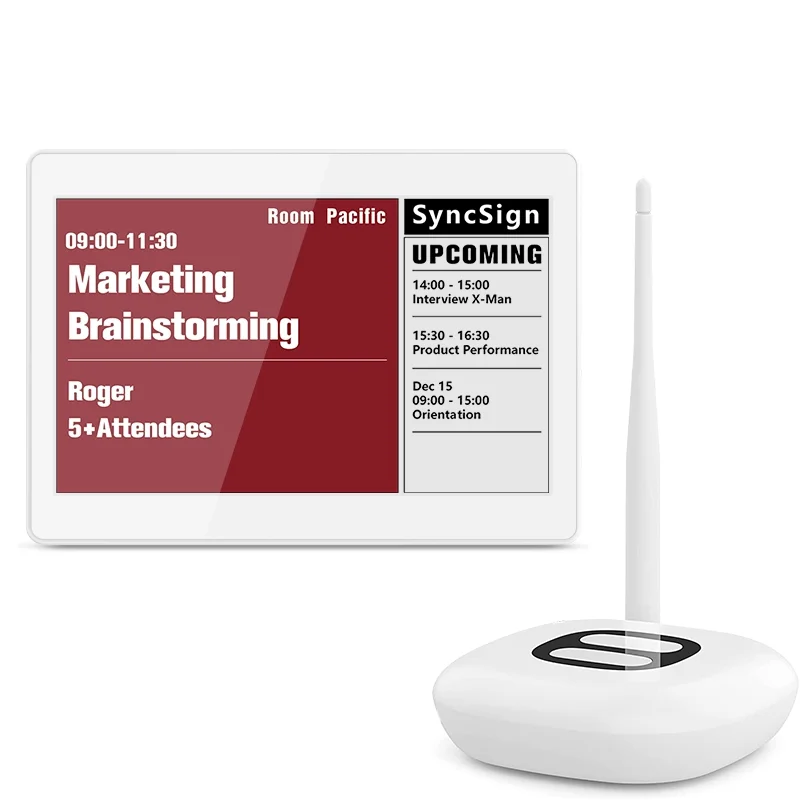
This setup is designed for environments where information changes frequently. The display communicates with a central SyncSign Hub via Bluetooth Low Energy (BLE) for fast, seamless updates.
How it works: The Hub, connected to your network, acts as the command center. It pulls data from your calendar system and pushes updates to paired displays when changes occur.
Key Characteristics:
Fast Updates: Meetings, bookings, and status changes are reflected quickly on the display, helping keep room information accurate and up to date.
Reliable BLE Connection: A dedicated low-power wireless link helps reduce dependence on frequent Wi-Fi wake-ups for the display.
Centralized Management: Ideal for managing multiple displays from a single interface across offices, meeting rooms, or shared spaces.
Mode 2: The Flexible Wi-Fi-Only Mode
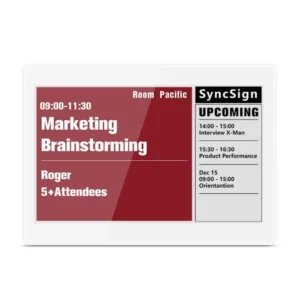
This mode is designed for flexible standalone deployment. The display operates independently, connects directly to a 2.4GHz Wi-Fi network, and is best suited for information that is relatively static or only needs periodic updates.
How it works: The display “wakes up” on a schedule you define, fetches new data, updates the screen, and then returns to a low-power sleep state. It also supports a manual refresh button for on-demand updates.
Key Characteristics:
Scheduled & Manual Updates: Wi-Fi-only mode is not intended for real-time updates. It updates based on a timer or a manual button press.
Dual Wake-Up Methods:
Timer-Based Wake-Up: Set the display to update at a typical interval such as 30 or 60 minutes, depending on your use case.
Manual Button Press: Refresh the screen by pressing the button on the side when an on-demand update is needed.
Battery Life: Battery life depends on the refresh interval and network conditions. Based on SyncSign’s user manual:
30-minute interval: more than 1 month of battery life.
1-hour interval: more than 3 months of battery life.
Head-to-Head Comparison: Hub vs. Wi-Fi-Only
| Feature | SyncSign Hub Mode | Wi-Fi-Only Mode |
|---|---|---|
| Update Mechanism | Fast push via Hub | Scheduled pull (timer-based) & manual refresh |
| Core Strength | Timely updates for dynamic spaces | Standalone deployment flexibility |
| Battery Profile | Optimized for longer battery life in hub-assisted operation | Battery-powered; typical battery life depends on refresh interval and Wi-Fi conditions |
| Best For | Dynamic, time-sensitive room or resource information | Static or semi-static information displays |
| Setup | Hub + Displays | Single, standalone display |
Choosing Your Mode: A Guide to Real-World Applications
Your specific application helps determine the better choice. Here’s a breakdown of which mode fits different scenarios:
Choose the SyncSign Hub Mode for:
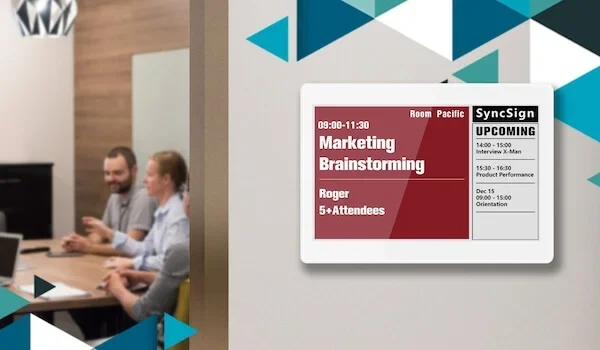
Dynamic Meeting Rooms: For boardrooms, huddle spaces, or shared rooms where bookings may change throughout the day. Fast updates help prevent scheduling conflicts.
Live Resource Scheduling: For hot-desking stations, phone booths, or shared equipment where status such as Available or Occupied needs to stay current.
Corporate Offices with Frequent Schedule Changes: Any environment where room schedules and resource availability are central to daily operations.
Choose the Wi-Fi-Only Mode for:
This mode works well in scenarios where information is semi-permanent and wiring, hub deployment, or frequent maintenance would be a drawback.
1. Static Information Displays & Wayfinding:
Use Case: Company directories, building floor plans, or department signs.
Why it Works: This information rarely changes. You can use a longer refresh interval to reduce maintenance and place the display where a power outlet is not convenient.
2. Digital Labels & Wayfinding Signs:
Use Case: Labeling conference rooms (“The Odyssey Room”), inventory shelves, or museum exhibits.
Why it Works: The content is usually fixed or changes infrequently. The display provides a crisp, professional look and can be updated via Wi-Fi when needed, without printing new labels or signs.
3. Hotel & Apartment Door Displays:
Use Case: Showing apartment numbers, guest names, or “Do Not Disturb” status at a hotel or residential apartment.
Why it Works: Resident or guest information is typically stable for days or weeks at a time. Wi-Fi-only mode supports a clean, cable-free installation for these semi-static display needs.
The Final Decision
If your information is live or changes frequently, SyncSign Hub Mode is generally the better choice. It is designed for dynamic workplaces where room schedules and resource status need timely updates.
If your information is static or only changes occasionally, Wi-Fi-Only Mode is a practical standalone solution. It supports cable-free installation, simple deployment, and is well suited for digital signage, labels, and hospitality displays.
By matching the SyncSign 7.5-inch Display’s mode to your use case, you can choose a setup that balances update speed, deployment flexibility, and maintenance needs.
If you still have questions about these two modes or want to know which mode is better suited to your use case, please contact info[at]sync-sign.com to learn more!